

Edited: 2023-05-24T15:57:39Z
React UseState Hook
React Hooks
While they may sound intimidating at first (I didn't want to go near React hooks at first) hooks are actually just regular functions that provide useful functionality for React Components. Today we will take a look at how to use the useState hook in this short and comprehensive guide to give you a better understanding and set you on tracks for your web development journey.
What is it and when to use useState
The most common and widely-used hook is the useState hook. This hook provides interactivity to your website. The most basic example is a counter. If a user want to increase, decrease, or reset the count in a counter on your website, all of these states will be kept track of through the useState hook.
It is used whenever you want to keep track of a variable between the React component's rerenders. As a general rule, if the user is going to be interacting with it and as a result mutating the data, it is most likely going to use useState.
Setting up useState
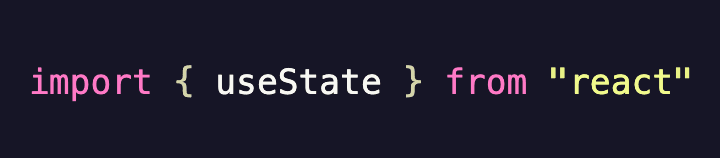
First, import the hook from the React library.

Now destructure the array-like object into a value and its corresponding setter. The value and setters can have any name you like. In this case we assigned the values counter and setCounter. Note, that it is best practice that the setter has the same name as the value with the word 'set' prefixed to it.
The value passed to useState is the value that it will have initially. meaning that useState now has a value of '0'. It is important to always initialize the hook with its correct data type to avoid bugs and let others reading your code what value useState should contain.
Updating and Setting New Values

To assign a new value, simply call the setter method and assign it a new value (assigning a new value in our counter case would be to handle when a user wants to reset the counter back to 0).

To update a value (in our case when a user wants to increase or decrease the count) pass an argument to the useState function and increase it by one. This argument will hold the latest value of the state. So what this function does in plain english is grab the value of 'counter' and add 1 to it.
Mutating Arrays and Objects
Mutating data types like numbers and strings is quite easy. However, things get a bit tricky when it comes to arrays and objects. The first thing you'll want to familiarize yourself with is the [...] Spread Operator. The spread operator unpacks values by making a deep copy of top-level data and a shallow copy of nested data. Visually it good look like this [ my objects in the array, ...[ using spread operator in nested array] ] turns into [ my objects in the array, my nested array is no longer nested ].
Now back on topic. This pattern is the one you want to follow when updating data.
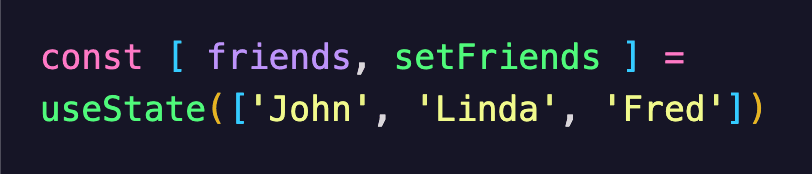
If you want to add a 'friend' to the above array. The image shown next is the way to go.
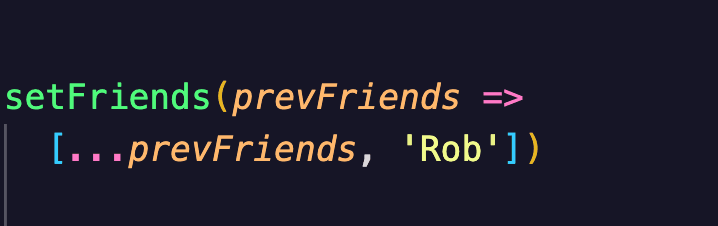
To remove a friend or update the array. Just follow the same pattern. The key is using the spread operator to preserve the data. Otherwise you may end up assigning a new value to your state.
Now let's switch to objects to show this example.
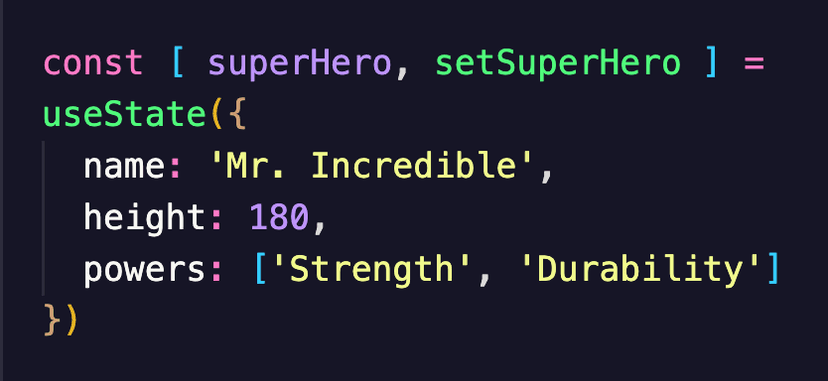
Here is a new superHero object as our initial state.
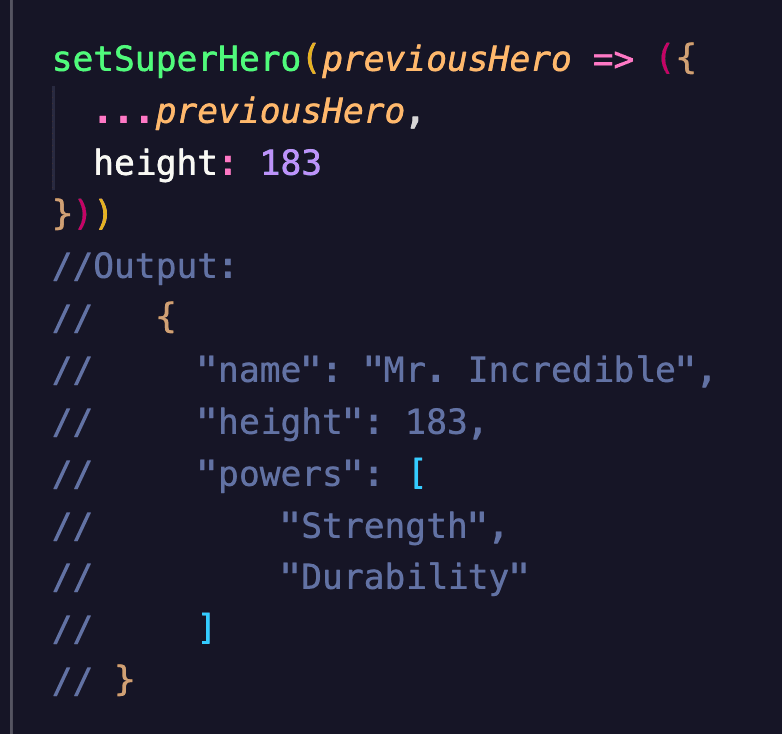
The setter method correctly sets a new key. However, what if we wanted to update the value of a key? What if you want to add 1 to the value of Mr. Incredible's height on every click. Well here's how to do that:
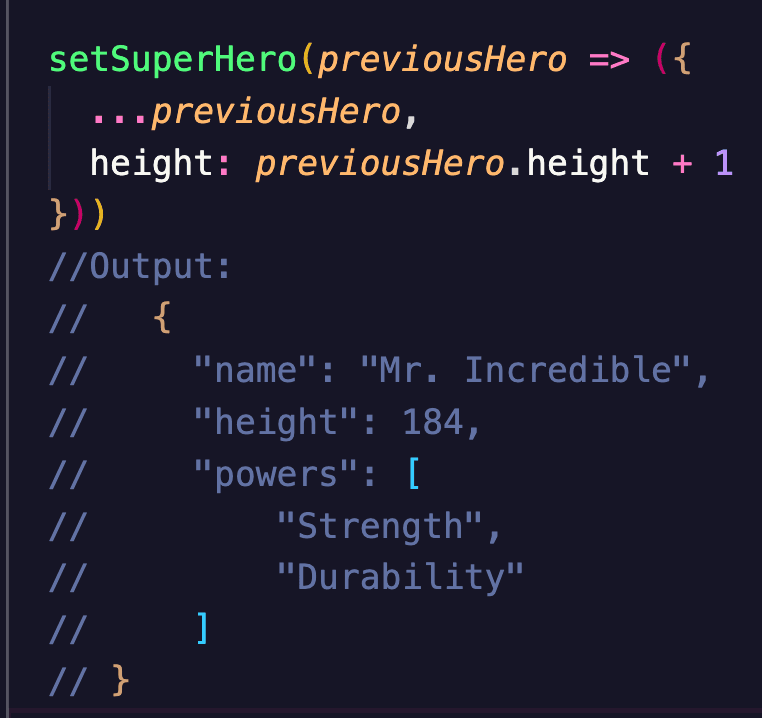
As you can see we need to access the key 'height' in our 'previousHero' in order to get the value 183 so we can add 1 to it.
Summary
In conclusion, useState keeps track of state across rerenders. The setter method can be assigned a new value or get receive an argument in order to access the current state. When mutating arrays and objects use the spread operator to perform a copy of them and keep the original values which will prevent them from getting reassigned. That's basically it for now. I hope this was helpful.